Unity vs Unreal Engine for Enterprise XR Projects
Choosing between Unity and Unreal is not a decision you should make because one engine has better screenshots, more impressive demos or a larger developer community. For an enterprise XR programme, the unity vs unreal engine xr decision affects hardware support, visual fidelity, development speed, integration effort, maintenance and the cost of scaling the experience after launch. The engine becomes part of the product architecture, so changing it halfway through production can be expensive.
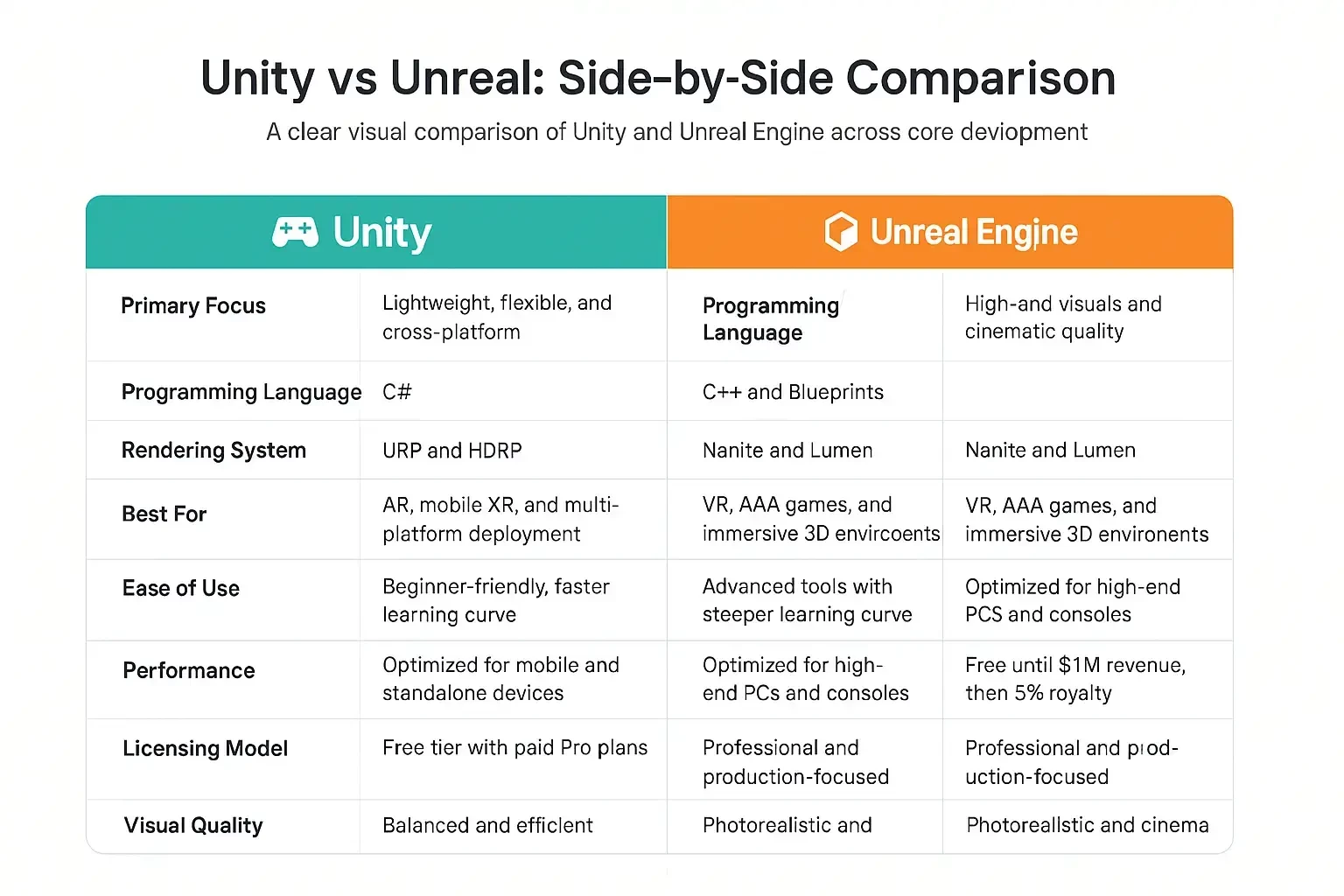
The practical answer is straightforward: Unity is often the stronger choice when you need broad device support, fast iteration and a product that may expand across mobile, desktop, web and multiple XR devices. Unreal is often the stronger choice when photorealistic rendering, complex environments, high-end simulation or premium visualisation is central to the business case. Neither engine is automatically the right answer. The right decision depends on what your users need to experience, which devices they will use and what your organisation needs the product to do five years from now.
Unity vs Unreal Engine XR: Start With the Business Requirement
The biggest mistake enterprise teams make is treating the engine as the starting point. Your starting point should be the experience and the business outcome. A VR training system for field technicians has very different requirements from a luxury automotive configurator. A city-scale digital twin has different architecture from a retail AR application. A surgical simulation may prioritise physical interaction and precision while a property sales experience may prioritise lighting, materials and visual storytelling.
That distinction matters because both engines can technically deliver all of these experiences. The question is how efficiently they can deliver the particular experience you need, how well they perform on the target hardware and how easily your team can maintain the application once it moves from demonstration to production. In other words, the unity vs unreal engine xr decision should be based on constraints rather than personal preference.
A good discovery process should identify the target devices, interaction model, visual benchmark, data sources, deployment environment, content pipeline and expected lifespan of the product before a production engine is approved. That process also exposes hidden requirements. For example, an experience initially described as VR training may later need desktop access for instructors, browser-based reporting for managers and a content management system for updating scenarios. The best engine is the one that can accommodate that roadmap without forcing unnecessary redevelopment.
Experience Architecture Comes Before Engine Selection
Atlyx approaches enterprise XR as a product rather than a standalone 3D demonstration. That means the experience architecture, UX, 3D assets, device strategy and technical integrations are considered together. If you are evaluating a larger AR, VR or MR programme, our enterprise XR development services cover discovery, prototyping, development, integration, testing and optimisation across different devices and headsets.
- Business outcome – Define whether the experience is intended to train, sell, simulate, visualise, monitor, design or support a physical operation.
- Target hardware – Identify the exact headsets, mobile devices, desktops, kiosks or browsers that users will operate.
- Visual requirement – Decide whether photorealism directly affects the commercial or operational result.
- Interaction model – Map controllers, hand tracking, spatial anchors, voice, gesture, physics and multi-user requirements.
- Data architecture – Identify CAD, BIM, GIS, IoT, APIs, enterprise databases and other live data sources.
- Lifecycle – Estimate how frequently content, devices, operating systems and integrations will change.
- Internal capability – Assess whether your team can recruit, maintain and support the required XR and real-time 3D expertise.
This framework turns an abstract technology debate into an engineering decision. It also makes vendor proposals easier to compare because you can evaluate the same requirements against the same technical criteria instead of choosing whichever prototype happens to look more impressive.
Unity for Enterprise XR: Where It Makes the Most Sense
Unity has a major advantage in enterprise projects where platform breadth and iteration speed are important. Its development environment is familiar to a large pool of real-time 3D developers and its C# workflow is widely used across interactive applications. For organisations planning several experiences rather than one isolated installation, this can make it easier to build reusable components, share knowledge and establish an internal production pipeline.
Unity is particularly useful when an application has to reach more than one device category. An enterprise may want the same product visualisation to run on a VR headset for a showroom, on a desktop for a sales team and on a mobile device for field representatives. The experience will still require platform-specific design and optimisation, but having a common engine can reduce the amount of duplicated technology underneath those experiences.
The engine is also a practical option for training and simulation programmes where content changes frequently. If your learning team needs to introduce a new scenario every quarter, the ability to iterate without rebuilding the entire application becomes valuable. The same applies to retail experiences where products, promotions and digital content may change much faster than the underlying application.
For this reason, the unity vs unreal engine xr choice often favours Unity when an organisation values deployment flexibility more than maximum graphical fidelity. It can be especially effective for multi-device products where the experience needs to remain consistent while the hardware evolves.
- Multi-platform applications – A strong option when mobile, desktop and XR deployment are all part of the roadmap.
- Enterprise training – Useful for applications where scenarios, content and learning modules need regular updates.
- Product visualisation – Effective when customers need to explore products interactively without requiring cinematic rendering at every stage.
- Retail and experiential applications – Practical for installations that need frequent content updates and support across different devices.
- Rapid prototyping – Suitable when product teams need to test interaction concepts quickly before committing to a large production build.
The strength of Unity is therefore not that it is inherently simpler. Its strength is that it gives an enterprise a broad technical base for experiences that may change considerably over their lifetime.
Unreal Engine for Enterprise XR: When Visual Fidelity Wins
Unreal Engine becomes particularly compelling when the visual quality of the experience is directly connected to its value. Its real-time rendering capabilities make it a strong choice for automotive visualisation, architectural walkthroughs, luxury product experiences, industrial simulation, digital twins and virtual production. If users need to believe they are looking at a credible representation of a future product, building or environment, rendering quality can influence the effectiveness of the experience.
This is where Unreal can create a meaningful difference. Detailed materials, lighting, reflections, large environments and complex geometry can be presented at a level that supports highly visual applications. That does not mean every enterprise project needs Unreal. It means you should not choose a lighter visual approach when the visual result itself is part of what the customer is buying, approving or learning from.
Consider a property developer presenting a premium development before construction. A basic walkthrough can communicate floor plans and room layouts. A carefully produced real-time environment can communicate the quality of materials, natural light, spatial proportions and the relationship between the property and its surroundings. In that situation, visual fidelity is not decoration. It affects the sales conversation.
The same principle applies to automotive. If the objective is to let a customer explore paint finishes, interiors, lighting conditions and vehicle configurations, the visual system has to make those differences credible. This is one reason the unity vs unreal engine xr comparison frequently favours Unreal for premium product experiences where perception and realism are commercially important.
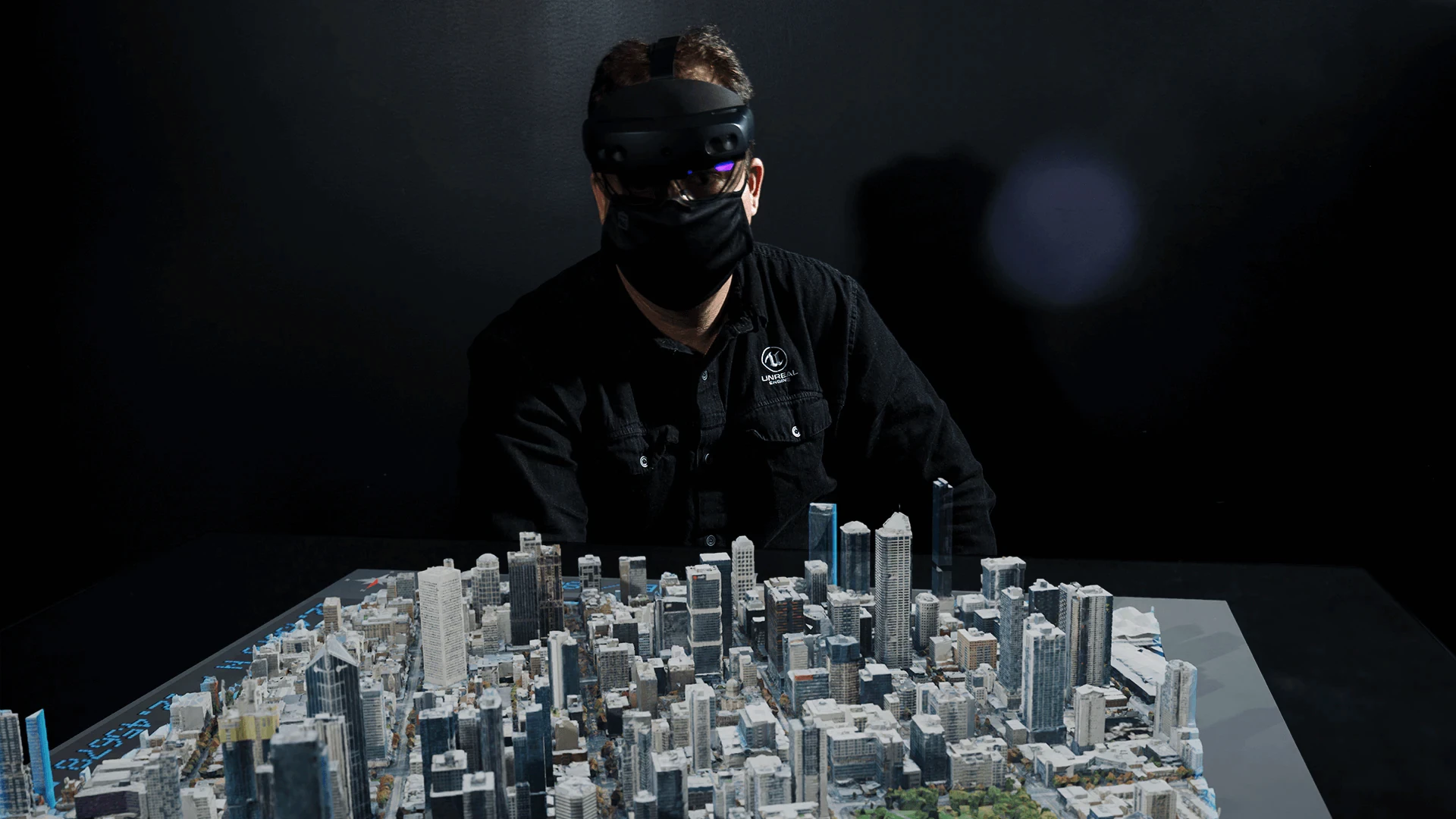
When the Experience Has to Look Real
Atlyx uses Unreal Engine for projects where real-time visual quality, simulation or complex 3D environments are central to the experience. Our Unreal Engine development services cover real-time 3D visualisation, architectural walkthroughs, automotive visualisation, digital twins and enterprise XR applications, with optimisation considered alongside visual production rather than after it.
Unity vs Unreal for VR Apps: The Hardware Changes the Answer
A common procurement mistake is to ask which engine is best for VR without specifying the headset. A standalone headset has strict limits around processing power, memory, thermal behaviour and battery consumption. A high-end PC-connected headset has considerably more resources available. The same 3D scene can therefore require very different engineering decisions depending on where it runs.
For enterprise VR, the application should be tested against the actual production device as early as possible. A desktop demonstration can hide problems that become obvious once the experience is running on a standalone headset. Heavy geometry, complex shaders, high-resolution textures, dynamic lighting and inefficient scripts can all affect frame rate and responsiveness.
This is another reason the unity vs unreal engine xr decision cannot be separated from performance engineering. A technically excellent application that makes users uncomfortable is still a failed XR product. Performance needs to be treated as part of experience design from the beginning.
Unity can be attractive for VR programmes that need to support multiple hardware tiers and distribute content broadly. Unreal can be highly effective for PC-based VR experiences where high-end rendering and simulation justify the additional technical requirements. Neither approach should be selected without testing a representative production scene on the intended device.
- Frame rate – Establish the target performance level for each headset rather than leaving optimisation until the end.
- Latency – Test tracking, controller input and interaction response under real production conditions.
- Memory – Measure actual memory usage using representative assets rather than lightweight prototype models.
- Thermal performance – Standalone devices can behave differently after sustained use, which matters for training sessions and installations.
- Load time – Large environments should be structured so users are not forced to wait unnecessarily before entering an experience.
The best XR engine is the one your team can optimise successfully on the hardware your business is actually deploying. A benchmark on a development workstation tells you very little about the final experience.
Graphics Quality Is Only One Part of Performance
Enterprise buyers sometimes assume that selecting Unreal automatically creates a high-performance experience or that selecting Unity automatically creates a lightweight one. Neither assumption is accurate. Performance depends heavily on how the project is built. Asset topology, texture resolution, lighting, shaders, animation systems, physics, level-of-detail strategies and memory management can make a larger difference than the engine name on the project proposal.
A strong delivery team will therefore establish performance budgets early. Instead of saying that the application should simply be “fast”, the team should define measurable constraints for geometry, texture memory, draw calls, loading time and frame rate. Those constraints can then guide 3D production and engineering decisions throughout the project.
This is particularly important for enterprise applications because content tends to become heavier over time. Once stakeholders see the first prototype, they naturally ask for more products, more environments, higher-quality models, additional interactions and more data. A performance strategy that works only for the first demonstration will not survive that expansion.
When comparing Unity and Unreal, ask your technology partner to show the profiling process rather than simply showing the final visuals. The ability to diagnose and fix performance issues is more valuable than a polished demo that avoids the difficult parts of production.
Cost: The Engine Licence Is Not the Real Budget
Enterprise buyers often begin the comparison by asking whether Unity or Unreal is cheaper. That is a reasonable procurement question, but it is not enough to build a project budget. Licence terms are only one component of total cost. Development, 3D modelling, animation, UX design, optimisation, device testing, infrastructure, integrations, deployment and ongoing content updates can represent a much larger share of the investment.
The more serious financial risk is rework. Suppose an organisation chooses an engine because the first prototype looks good, then discovers that the target headset cannot handle the intended environment. The resulting cost can include rebuilding assets, changing shaders, rewriting interactions, redesigning levels and delaying the deployment date. A cheaper initial decision can therefore become an expensive production decision.
The unity vs unreal engine xr evaluation should therefore include total cost of ownership. Look at what the project will require not only during development but also during the next three to five years. Who will update content? Who will support new devices? Who will maintain integrations? How many developers will be required? Can your internal team recruit the right skills? What happens when the operating system or headset changes?
For a serious enterprise programme, these questions are more useful than comparing the cost of two software licences in isolation.
Digital Twins Make the Engine Decision More Complex
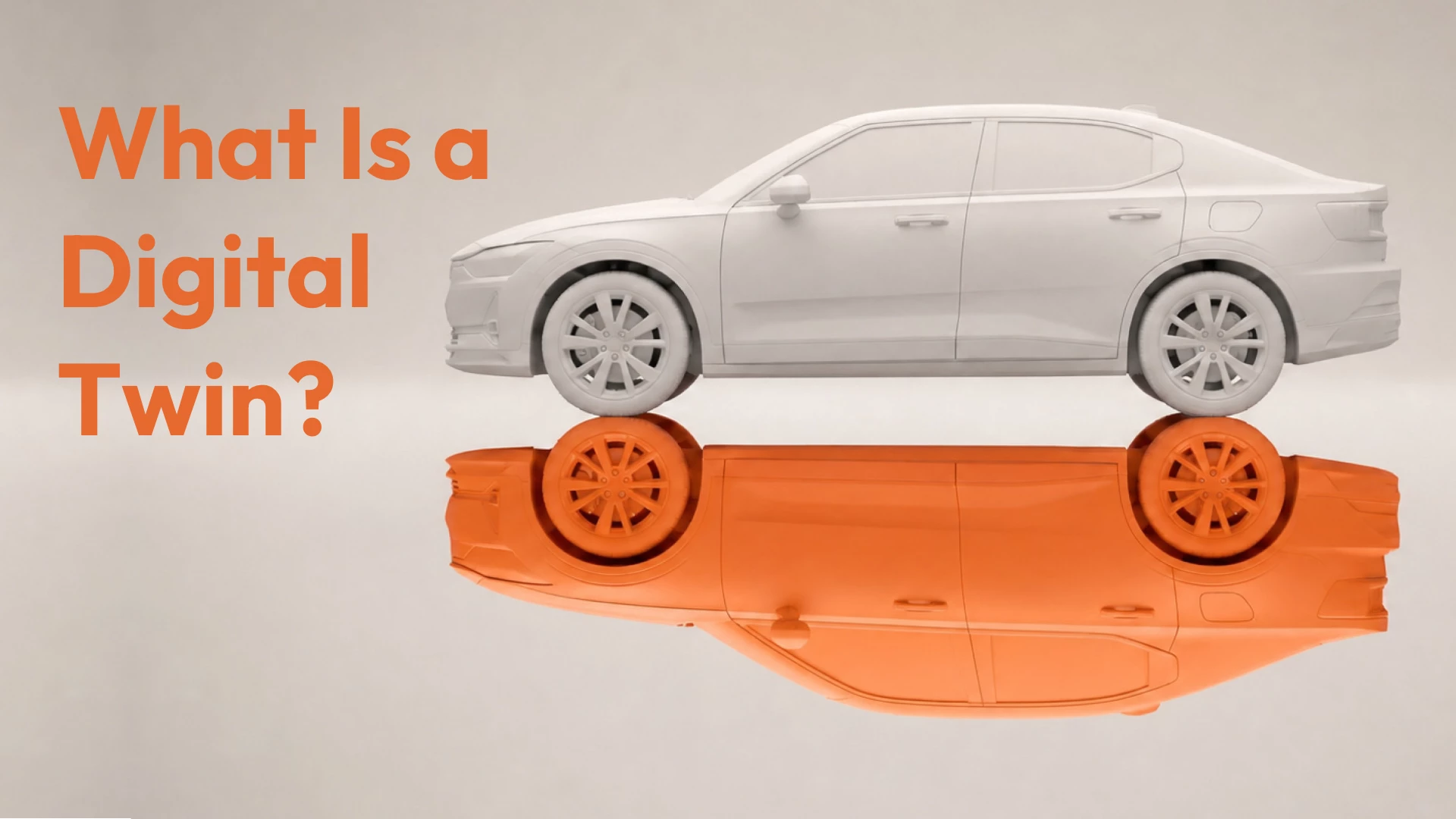
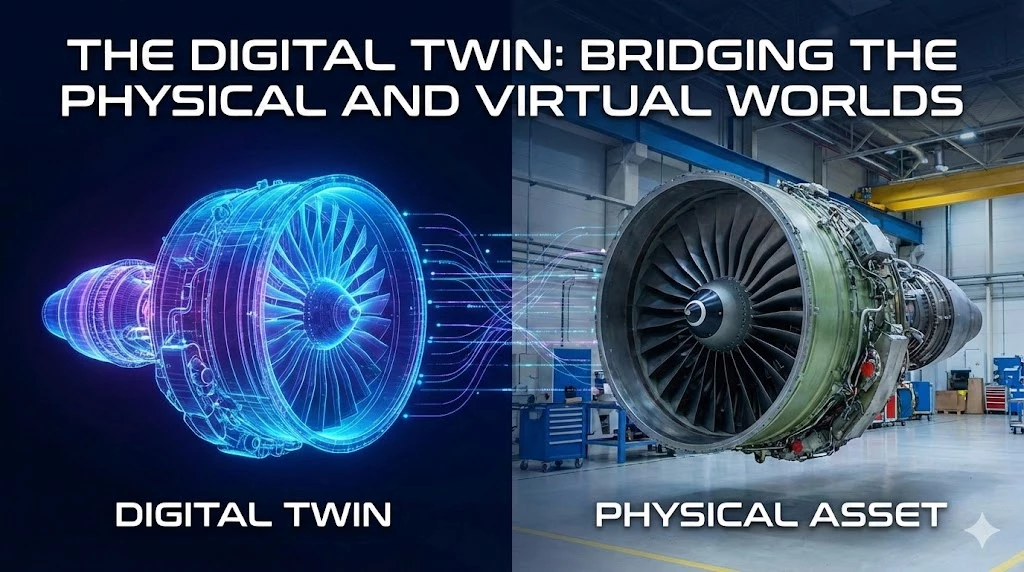
Digital twins change the conversation because the 3D environment is only one layer of the system. A digital twin is a digital representation of a physical asset, environment or process that connects visualisation with data and operational context. Once live IoT feeds, GIS, CAD, BIM, enterprise databases or analytics are involved, the XR application becomes an interface to a larger information system.
That means the unity vs unreal engine xr decision has to consider data architecture as seriously as rendering. You need to determine how data enters the application, how frequently it updates, how permissions are managed, what happens when a connection is unavailable and how large datasets are streamed or indexed. The engine must fit into this architecture rather than dictate it.
McKinsey has described digital twins as a foundation for enterprise immersive applications and notes that organisations can start with an individual twin before connecting multiple twins and adding immersive interfaces. Their research is useful because it frames the digital twin as more than a 3D model. You can read the full analysis on digital twins and the enterprise metaverse.
Atlyx has applied this system-level approach in its Smart City Digital Twin platform, combining digital twin technology with IoT sensors, GIS and geospatial mapping, real-time analytics and 3D visualisation. The important engineering challenge was not simply representing a city in 3D. The platform needed to connect urban infrastructure and operational information to an interface that people could actually use for monitoring and decision-making.
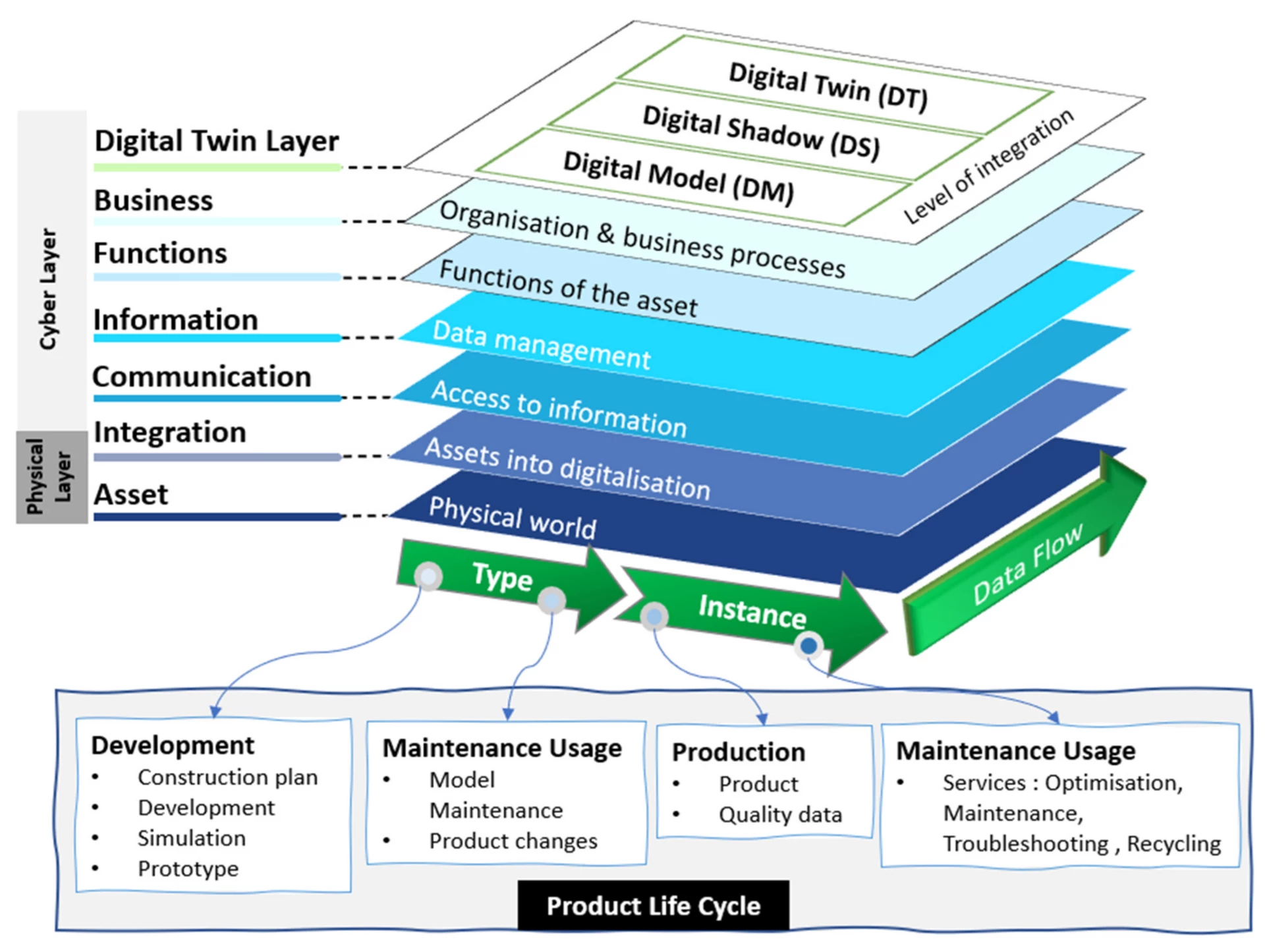
Do Not Confuse a 3D Model With a Digital Twin
A detailed 3D model can look impressive without being a digital twin. If the model does not connect meaningfully to operational data, behaviour, analytics or decision workflows, it is primarily visualisation. This distinction matters when you are budgeting an enterprise project because the data and integration architecture can require as much engineering attention as the 3D application itself.
Choosing a 3D Engine for XR Projects: A Practical Framework
If you are evaluating the best game engine for enterprise XR development, do not begin by asking which engine has the largest feature list. Begin by creating a weighted decision framework based on your actual project. This gives the executive team a transparent way to understand why one engine is being recommended and also makes it easier to challenge assumptions before production begins.
For example, a company building a multi-device training platform might assign a higher weight to deployment flexibility, content iteration and device management. A luxury automotive brand might assign a higher weight to visual fidelity, materials, lighting and configurator performance. A smart city programme might give the greatest weight to GIS integration, streaming large datasets, real-time data and operational dashboards.
- 1. Define the business outcome – Decide what measurable result the XR experience needs to produce before discussing engine features.
- 2. Identify the real users – Separate the needs of customers, operators, technicians, sales teams, designers and executives.
- 3. Specify the hardware – Document every headset, workstation, mobile device, kiosk and browser that must be supported.
- 4. Establish the visual benchmark – Use actual production references to decide whether photorealism is necessary.
- 5. Test the hardest technical requirement – Prototype the largest environment, most complex interaction or heaviest data connection first.
- 6. Measure performance – Profile the application on actual target devices instead of relying on a high-end development machine.
- 7. Model the lifecycle – Estimate the cost of new content, device changes, maintenance, integrations and future releases.
- 8. Validate the team – Review the delivery partner’s experience with real-time 3D, XR, optimisation and enterprise integrations.
This approach makes the unity vs unreal engine xr decision defensible at the boardroom and procurement level. Instead of saying “our developers prefer Unreal”, your team can explain exactly which business and technical requirements drove the recommendation.
Should Your Organisation Standardise on One XR Engine?
Large enterprises often want to standardise because a common engine can simplify recruitment, governance, training and internal support. That is a sensible objective when an organisation expects to produce dozens of applications over several years. Shared components, common asset pipelines and established development standards can reduce operational friction.
The problem begins when standardisation becomes more important than the product requirement. A company may have a Unity-first policy for training applications and then discover that a premium automotive visualisation requires a different rendering approach. Forcing the project into the existing standard can create unnecessary compromises that users experience directly.
A better model is to define a preferred engine and a clear exception process. Unity might become the default for multi-device enterprise applications while Unreal is approved for high-fidelity simulation, architectural visualisation or premium product experiences. The important part is documenting why an exception exists and which shared systems remain common.
This is where a mature xr engine strategy differs from a software preference. You are not choosing a tool for one project. You are establishing a technology policy that may influence your organisation’s 3D assets, developer skills, deployment infrastructure and future product roadmap.
The Vendor Matters as Much as the Engine
Enterprise XR projects rarely fail because someone chose the wrong engine in isolation. They fail because the project underestimated the work surrounding the engine. A vendor may show a convincing prototype while having little experience with device optimisation, enterprise APIs, production asset pipelines or long-term application maintenance. That gap usually appears after the contract is signed and the project becomes harder to change.
When evaluating a partner, ask to see how they profile performance, manage 3D assets, test on physical hardware, handle data integrations and structure deployment. Ask what happens when the client adds another headset six months after launch. Ask how they handle large CAD or BIM models. Ask how the team separates reusable platform code from project-specific experience logic. These questions reveal considerably more than a portfolio screenshot.
Atlyx works across Unity and Unreal because enterprise requirements vary. Our approach is to select the technology around the experience rather than force every project into the same development workflow. That is especially important when a project combines real-time 3D with branding, UX, physical environments, data systems or customer-facing experiences.
The goal should be a product that works when the presentation is over. Your XR application needs to survive real users, real hardware, real data and real operational constraints. That is the standard a technology partner should be held to.
Unity vs Unreal: A Straightforward Recommendation
If your enterprise needs broad device coverage, rapid iteration and a product that may expand into mobile, desktop or web experiences, Unity is usually the first engine worth evaluating. It offers the flexibility required by applications that need to evolve across platforms and audiences, particularly when content and interaction models will change regularly.
If your project depends heavily on photorealistic rendering, detailed environments, sophisticated simulation or premium product visualisation, Unreal should be evaluated first. The additional visual capability can be commercially meaningful when the user needs to trust the representation they are seeing.
If you are building a digital twin, do not make the decision from the rendering layer alone. Evaluate the complete architecture including data ingestion, GIS, IoT, APIs, security, asset management and analytics. Both engines can provide the 3D interface, but the surrounding systems will determine whether the solution can scale.
The central lesson from the unity vs unreal engine xr comparison is simple: choose the engine that reduces risk for the experience you actually need to deliver. Do not choose it because your previous agency uses it, because a developer prefers it or because a competitor’s demo looks impressive.
FAQ: Unity vs Unreal Engine for Enterprise XR
Is Unity better than Unreal for enterprise XR?
Neither engine is universally better. Unity is often a strong choice for multi-platform applications, rapid iteration and broad device deployment. Unreal is often stronger when visual fidelity, complex environments or high-end simulation are central to the experience. The unity vs unreal engine xr decision should be made against the project’s specific requirements.
Which engine is better for enterprise VR training?
Both engines can deliver enterprise VR training successfully. Unity can be particularly practical when the organisation needs broad hardware support and frequent content updates. Unreal can be a strong option when the training environment requires highly detailed machinery, realistic environments or complex simulation.
Is Unreal more expensive than Unity?
Licence cost alone does not determine the cost of an enterprise XR project. Development, 3D production, optimisation, integrations, testing, deployment and maintenance can have a larger impact on the total budget. Procurement teams should evaluate the current commercial terms for the specific application and then compare total cost of ownership.
Can Unity and Unreal both be used for digital twins?
Yes. Both engines can provide the real-time 3D presentation layer for a digital twin. The more important questions concern data integration, real-time updates, spatial data, enterprise APIs, authentication, asset management and the operational workflows that sit behind the visual experience.
What is the best game engine for enterprise XR development?
There is no universal winner. Unity is often a strong fit for multi-platform enterprise products while Unreal is often a strong fit for high-fidelity visualisation and simulation. The best choice is the engine that fits the target devices, visual requirements, data architecture, delivery team and long-term product roadmap.
Should an enterprise build XR in-house?
An in-house team can make sense when XR is expected to become a long-term strategic capability with a substantial product pipeline. For a first major deployment, however, a specialist partner can reduce delivery risk by bringing together XR engineering, 3D production, UX, optimisation and integration skills. A hybrid model can also work well, with the internal team owning product direction while a specialist team accelerates architecture and initial delivery.
The Right Engine Is the One That Survives Production
The most expensive engine decision is not choosing Unity when Unreal would have been better or choosing Unreal when Unity would have been sufficient. The expensive decision is approving an engine before the team understands the actual hardware, content, interaction and data requirements. Once production is deep into development, changing fundamental technology assumptions becomes increasingly difficult and expensive.
A focused technical discovery can prevent that problem. Build a representative scene using production-quality assets. Test the hardest interaction. Connect the most important data source. Run the prototype on the actual target hardware. Measure performance. Then make the engine decision with evidence rather than preference.
If you are currently comparing Unity and Unreal for an enterprise project, Atlyx can help you turn that comparison into a scoped technical decision. Share the experience you want to build, the devices you need to support and the business outcome you are targeting. We can assess the requirements, recommend the appropriate xr engine, define the technical scope and estimate the production effort before you commit the larger budget.
That is the point where the unity vs unreal engine xr conversation becomes useful: not when you are comparing feature lists, but when you are deciding how to build an experience that has to work in the real world.